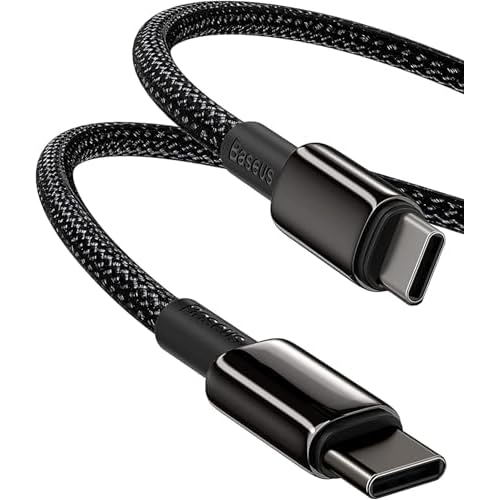
Anker 60W two-pack or Baseus 100W single cable? Start with your charging requirements, then compare reach, quantity and the capabilities each listing actually documents.
Research by ChargeCarry · Editorial update September 13, 2026 · Listing evidence dated below. No hands-on ranking.
What do you need your travel cable to do?
Charge a phone or laptop
Check your exact device’s charging requirements and the output of the charger port you will use. A cable’s wattage rating does not tell you how much power your device will draw.
Transfer files
The Anker record lists 480Mbps. The Baseus data rate is unconfirmed because its listing uses an inconsistent unit. Neither a 60W nor a 100W label establishes transfer speed.
Connect a display
Neither exact cable record establishes video support. Do not choose either for a monitor on this evidence. Check the video compatibility checklist.
Anker 60W vs Baseus 100W: which should you inspect?
Both records describe USB-C at both ends. Neither directly connects a USB-A charger or a Lightning port. Choose only after matching your device, charger and intended use.
Inspect this two-pack if you need two USB-C cables and your intended charging setup fits within the listed 60W ceiling. Check whether 6ft reaches each device comfortably.
Inspect this single cable if your intended USB-C charging setup needs a rating above 60W and up to the listed 100W ceiling, or you prefer one 2m cable. A higher rating alone is not a reason to replace a suitable cable.
A listed maximum is not a charging-speed guarantee. Prices, delivery, sellers and returns can change; inspect the exact selected variant at the retailer.
Questions before buying a travel USB-C cable
Do I need a 60W or 100W USB-C cable for travel?
Use the required charging setup as your starting point. If it requires more than 60W, the recorded 60W cable does not meet that higher rating. If it fits within both cable ratings, compare length and quantity next. The 100W label alone does not establish faster charging. Read the 60W vs 100W cable decision guide.
Should I pack a 6ft cable or a 2m cable?
Measure the reach from the charger to a safe place for the device. The Anker listing is 6ft per cable; Baseus is 2m. Neither length is universally better for travel. Consider your desk, bedside outlet and power-bank placement without leaving a device hanging from its connector.
Is a two-pack better than one USB-C cable?
Count the connections you need at the same time, including multiple devices of the same type. The Anker record contains two cables; the Baseus record contains one. A spare can be useful, but more cables do not automatically mean better value. Check what you already own and compare the retailer’s current pack price.
Can these cables charge a laptop and connect a monitor?
Laptop charging depends on the exact device, charger and cable requirements. Display output is a separate capability, and neither listing record here establishes it. A matching USB-C connector is not enough to recommend either cable for a display.
Why is the Baseus data speed not confirmed?
The exact listing contains an inconsistent data-rate unit. We have not substituted a number from a similar variant. That makes it unsuitable for a data-speed recommendation on our current evidence, without proving that file transfer is unsupported.
Check the rest of your charging setup
Taking several devices or sharing a charger? The travel charging checklist helps you check ports, shared power, cable capability and packing needs. It does not promise model compatibility.
Selection advice is editorial interpretation of those records. We have not tested charging time, durability, temperature or real-world transfer speed. Official product images are promotional material, not our test photos. Read our research method and affiliate disclosure.
Help us improve ChargeCarry?
Optional Google Analytics measures page visits and guide interactions. We do not use it for personalized advertising. Your checklist selections are not sent. Privacy details.